
Fred Dispense Plus
Issue
Users may notice that suddenly all scripts are being rejected by PBS with a PRODA 300 Error getting access token.
Cause
This error happens when the store's B2B device used for PBS online claiming in PRODA becomes locked, often due to a power outage at the pharmacy.
Resolution
To resolve the issue, you need to log into your PRODA account, generate a new activation code for the B2B device, and import it into Fred Dispense Plus.
Step 1: Log into the PRODA account
Generally, only the pharmacy owner or someone with a high permission level can access the option to manage a B2B device in PRODA.
Step 2: Manage B2B device in PRODA
For more details, visit this link.
- Navigate to the locked B2B device and generate a new device activation code.
- Copy this code to import it into Fred Dispense Plus in the next step.
Step 3: Import the new B2B device into Fred Dispense Plus
This step needs to be completed on only one of the dispense PCs.
- In Fred Dispense Plus, from the Setup menu, select PBS Online Configuration.
The PBS Online Configuration popup displays. - Click Edit.
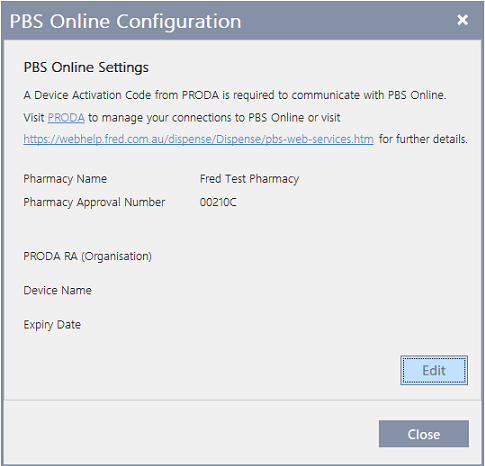
- Enter the new device activation code and click Save.
A message displays confirming your device has been activated successfully. - Click OK and then click Close to exit the PBS Online menu.
All rejected scripts should automatically re-transmit within the next 20 to 30 minutes. If they do not re-transmit after this time, contact Fred support for further assistance.