
Fred Dispense Plus
Overview
Prescribers can issue an authority script for a medication that is not listed on the PBS or RPBS for patients with a DVA (Department of Veterans' Affairs) number as an unlisted Repat Authority script. This article explains how to process such a script.
Steps
- From the Main Screen, select the repat patient you want to dispense for.
- Ensure the patient’s DVA/Repat details are updated in Patient Maintenance.
- Ensure the Script Type is set to Repat.
In the Drug field, do one of the following:
Method 1
Type the word "blank" and press Enter, then choose from the following options:
- Blank Capsules
- Blank DD MISC
- Blank Misc
- Blank Tablets
This process does not track SOH movement, so stock will not be deducted after dispensing. A manual stock adjustment in Fred Office is required.
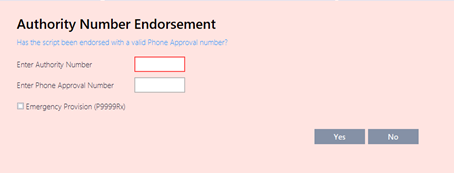
At the Repat Authority prompt, select Yes.
At the next prompt, enter the authority details.
 12
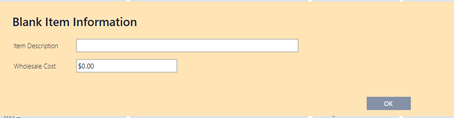
12Provide the Blank Item Information, as prompted.
— OR —
Method 2
If the item exists in Fred Office Plus, type ? and then enter the drug name or scan in the barcode of the item to be dispensed.
This method will ensure the correct SOH movement is recorded in Fred Office.
- Finalise the dispensing, as per normal.